Table of Contents
ToggleSmart home tech for beginners doesn’t have to feel overwhelming. In fact, most people can set up their first smart device in under ten minutes. The smart home market hit $138 billion in 2023, and millions of households now use voice assistants, automated lights, and connected thermostats daily. This guide breaks down everything beginners need to know, from choosing the right devices to avoiding common setup mistakes. Whether someone wants to save energy, boost convenience, or simply turn off the lights without leaving the couch, smart home technology makes it possible.
Key Takeaways
- Smart home tech for beginners starts best with one ecosystem—Amazon Alexa, Google Home, or Apple HomeKit—to ensure device compatibility.
- Most smart devices are plug-and-play, requiring no professional installation or rewiring to set up.
- Smart speakers, bulbs, and plugs offer the fastest value for newcomers and can be configured in under 10 minutes each.
- Create routines and automations to control multiple devices with a single voice command for maximum convenience.
- Avoid common beginner mistakes like mixing incompatible ecosystems, overloading your Wi-Fi, or buying too many devices at once.
- Prioritize security by using strong passwords, enabling two-factor authentication, and keeping device firmware updated.
What Is Smart Home Technology?
Smart home technology refers to devices that connect to the internet and can be controlled remotely. These gadgets communicate with each other through Wi-Fi, Bluetooth, or dedicated protocols like Zigbee and Z-Wave. Users manage them through smartphone apps or voice commands.
The core idea is simple: automate everyday tasks. A smart thermostat learns a household’s schedule and adjusts temperatures automatically. Smart locks let homeowners check if they locked the door from anywhere. Motion sensors can trigger lights to turn on when someone walks into a room.
Smart home tech for beginners typically starts with one or two devices. There’s no need to rewire an entire house or hire a professional. Most products are plug-and-play, meaning they work right out of the box with minimal setup.
Three main ecosystems dominate the market: Amazon Alexa, Google Home, and Apple HomeKit. Each ecosystem has its strengths. Alexa offers the widest device compatibility. Google excels at search-based queries. Apple prioritizes privacy and security. Beginners should pick one ecosystem and build around it for the smoothest experience.
Essential Smart Home Devices to Start With
Not every smart device deserves a spot in a beginner’s setup. Some products offer immediate value, while others require more technical knowledge. Here are the best starting points.
Smart Speakers and Voice Assistants
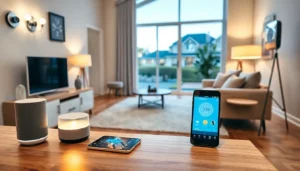
A smart speaker serves as the command center for most smart homes. The Amazon Echo and Google Nest are the most popular options for beginners exploring smart home tech. Apple’s HomePod works best for users already invested in Apple products.
These speakers do more than play music. They answer questions, set timers, read the news, and control other smart devices. Say “turn off the living room lights” or “set the thermostat to 72 degrees,” and the assistant handles it.
Prices range from $30 for basic models to $200 for premium speakers with better sound quality. Most beginners find mid-range options around $50-100 hit the sweet spot between features and affordability.
Smart Lighting and Plugs
Smart bulbs and plugs deliver the fastest results for newcomers. They require zero installation skills, just screw in a bulb or plug a device into a smart outlet.
Philips Hue remains the gold standard for smart lighting, though brands like Wyze and LIFX offer budget-friendly alternatives. Smart bulbs can change colors, dim on command, and follow schedules. Set them to gradually brighten in the morning for a gentler wake-up routine.
Smart plugs turn any “dumb” device into a smart one. Plug a lamp, fan, or coffee maker into a smart plug, and it becomes voice-controllable. These plugs typically cost between $10-25 each and offer excellent value for smart home tech beginners.
How to Set Up Your First Smart Home System
Setting up a smart home system takes less effort than most people expect. Follow these steps to get started.
Step 1: Choose an ecosystem. Decide between Alexa, Google, or Apple. This choice affects which devices will work together smoothly. Research compatibility before purchasing anything.
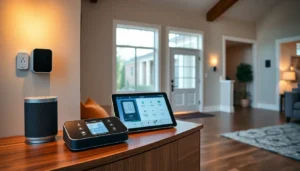
Step 2: Start with a hub or speaker. A smart speaker acts as the central point for voice control. Download the corresponding app (Alexa, Google Home, or Apple Home) on a smartphone.
Step 3: Connect to Wi-Fi. Every smart device needs a stable internet connection. Make sure the home router can handle multiple connected devices. Most modern routers support 20+ devices without issues.
Step 4: Add devices one at a time. Open the app, select “add device,” and follow the on-screen instructions. Each device takes about 5-10 minutes to configure.
Step 5: Create routines and automations. This is where smart home tech for beginners gets exciting. Set up routines like “Good Morning” that turns on lights, reads the weather, and starts the coffee maker, all with one voice command.
A helpful tip: place the smart speaker in a central location. Voice assistants work best when they can hear commands clearly from multiple rooms.
Common Mistakes Beginners Should Avoid
New smart home users often make preventable errors. Avoiding these pitfalls saves time, money, and frustration.
Mixing incompatible ecosystems. Buying a Google Nest speaker and then choosing Alexa-only devices creates headaches. Stick to one ecosystem, especially at the beginning.
Ignoring Wi-Fi limitations. Smart devices strain home networks. Older routers may struggle with multiple connections. Consider upgrading to a mesh Wi-Fi system if devices frequently disconnect.
Buying too much too fast. Smart home tech for beginners works best with gradual expansion. Start with two or three devices. Learn how they work before adding more. Rushing leads to unused gadgets collecting dust.
Skipping security basics. Smart devices are internet-connected, which means they can be hacked. Use strong, unique passwords. Enable two-factor authentication when available. Keep device firmware updated.
Forgetting about family members. A smart home should work for everyone in the household. Train family members on voice commands. Set up individual voice profiles so the assistant recognizes different users.
Overlooking power outages. Smart bulbs and locks may behave unexpectedly during outages. Keep manual backups available, physical keys for smart locks, regular switches for critical lights.